
2026년 사용자 정의 Discord 이모지를 만드는 방법:완전한 가이드
Discord의 사용자 정의 이모지 시스템에는 대부분의 창작자를 좌절하게 만드는 사양이 있습니다. 256 KiB, 투명 PNG, 애니메이션 이모지가 실제로 무엇을 의미하는지, 그리고 몇 분 안에 만드는 방법을 알려드립니다.

Lois Chen·이모지 문화 리서처 + 플랫폼별 가이드 작가·2026년 5월 15일
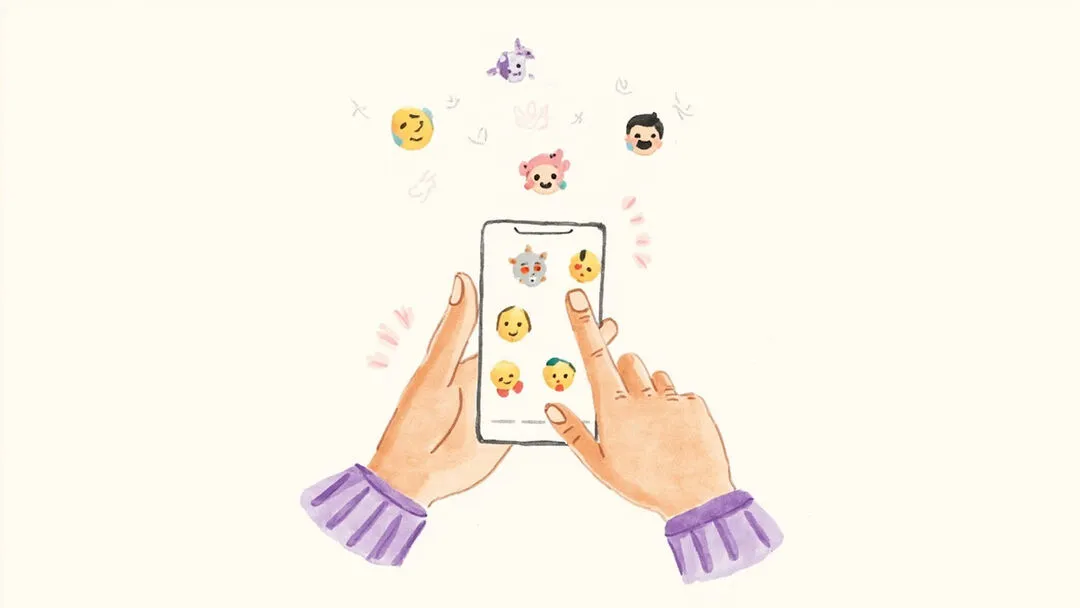
Discord 서버는 사용자 정의 이모지를 통해 생기를 띱니다. 게임 커뮤니티, 팬 서버, 전문 작업 공간을 구축하든, 사용자 정의 이모지는 커뮤니티에 고유한 시각적 언어를 부여합니다. 하지만 훌륭한 Discord 이모지를 만드는 것은 단순히 아무 이미지를 업로드 대화 상자에 넣는 것이 아닙니다. 따라야 할 기술 사양, 고려해야 할 설계 원칙, 그리고 대부분의 초보자를 좌절시키는 교묘한 문제가 있습니다. 바로 흰색 상자입니다.
Discord 사용자 정의 이모지:공식 사양
Discord 개발자 문서는 사용자 정의 이모지가 파일 크기 최대 256 KiB, 권장 해상도 128×128 픽셀이어야 한다고 명시합니다. 허용되는 형식은 PNG, GIF(애니메이션 이모지용), WebP, AVIF를 포함합니다. 표준 서버의 경우 정적 이모지만 사용 가능합니다. 활성 Boost를 가진 서버는 애니메이션 이모지를 잠금 해제합니다. GIF 및 WebP 애니메이션 형식이 여기에 들어옵니다.
이모지 파일 이름에는 공백이 포함될 수 없으며, 이름은 알파벳 문자와 밑줄만 사용하여 2~32자 사이여야 합니다. :dragon_fire: 같은 이름은 작동합니다. :big red fire breathing dragon: 는 작동하지 않습니다.
| 사양 | 값 |
|---|---|
| 최대 파일 크기 | 256 KiB |
| 권장 해상도 | 128×128 px |
| 허용 형식 | PNG, GIF, WebP, AVIF |
| 이름 길이 | 2–32자 |
| 허용 문자 | 알파벳 + 밑줄만 |
| 애니메이션 이모지 | Server Boost 필요 |
단계별:서버에 사용자 정의 이모지 추가
- 1.Discord를 열고 서버로 이동합니다
- 2.왼쪽 상단에서 서버 이름을 클릭하여 서버 설정(Server Settings)을 엽니다
- 3.왼쪽 사이드바에서 이모지(Emoji)를 선택합니다
- 4.이모지 업로드(Upload Emoji)를 클릭합니다
- 5.이미지 파일을 선택합니다(PNG, GIF, WebP 또는 AVIF, 최대 256 KiB)
- 6.이모지에 이름을 지정합니다(2–32자, 공백 없음)
- 7.저장(Save)을 클릭합니다 — 이모지가 모든 서버 구성원에게 즉시 사용 가능합니다
구성원은 모든 채널에서 :emoji_name: 을 입력하여 새 이모지를 즉시 사용할 수 있습니다. 모든 사람에게 이모지가 표시되지 않는 경우, 서버 설정의 역할 구독(Role Subscriptions)에서 특정 역할로 제한되어 있지 않은지 확인하십시오.
투명 배경 문제(그리고 왜 중요한지)
대부분의 사람들이 당황하는 부분이 있습니다. Discord는 기본적으로 어두운 테마를 사용합니다. 이모지에 흰색 배경이 있으면, 어두운 인터페이스에 흉측한 흰색 상자로 나타납니다. 이것은 이모지를 아마추어처럼 보이게 하고, 그것을 사용하는 모든 구성원에게 jarring(거슬리는) 경험을 줍니다.
해결책은 투명 배경 PNG입니다. 적절하게 준비된 이모지는 배경이 전혀 없습니다. Discord UI 색상은 이미지가 아무것도 그리지 않는 곳에서 그대로 비쳐 보입니다. 이것이 전문 Discord 서버가 JPEG(투명도를 전혀 지원할 수 없음) 또는 단색 흰색 채우기가 있는 PNG가 아니라 알파 투명도(alpha transparency)가 있는 PNG를 사용하는 이유입니다.
수동으로 배경을 제거하려면 Photoshop 또는 GIMP과 같은 이미지 편집 소프트웨어가 필요합니다. AI 기반 배경 제거 도구는 이를 자동화합니다. Forgemoji에서 사용되는 rembg 알고리즘은 전경 subject(주제)를 식별하고 몇 초 안에 배경을 제거하여 깨끗한 투명 PNG를 출력합니다.
AI를 사용하여 Discord 이모지 디자인 및 내보내기
전통적인 워크플로(이미지를 찾거나 만들고, 자르고, Photoshop을 열고, 배경을 제거하고, 128×128로 크기를 조정하고, 내보내기)는 이모지당 15분이 걸리며 대부분의 Discord 서버 소유자가 가지지 않은 디자인 기술이 필요합니다. AI 이모지 생성기는 이 과정을 1분 미만으로 단축합니다.
Forgemoji에서는 두 이모지를 선택하여 융합하거나, 사진 모드(Photo Mode)를 위해 사진을 업로드합니다. AI가 완전히 새로운 일러스트레이션을 생성하고, 배경이 자동으로 제거되며, 결과는 Discord 업로드 준비가 된 투명 256×256 PNG로 다운로드됩니다. 조합은 고유합니다. 다른 누구도 정확히 같은 이모지를 가지고 있지 않습니다.
훌륭한 Discord 이모지를 위한 디자인 팁
- •대담하고 단순하게 — 이모지는 채팅에서 22–32px로 렌더링되므로 미세한 세부 사항은 완전히 사라집니다
- •얇은 윤곽선 피하기; 작은 크기에서 보이지 않게 됩니다
- •애니메이션 이모지(GIF/WebP)는 seamless(끊김 없이) 루프되어야 합니다 — 루프 지점의 jarring(거슬리는) 컷은 polished(세련되지) 않게 읽힙니다
- •이모지 세트를 스타일적으로 일관되게 유지하여 서버가 cohesive(응집력 있게) 느껴지도록 합니다
- •설명적이지만 간결하게 명명::dragon_fire: 가 :big_red_fire_breathing_dragon: 보다 낫습니다
- •다크 모드 테스트를 위해, 업로드하기 전에 PNG를 어두운 배경에 끌어다 놓아 반투명 가장자리 artifacts(결함)를 잡아냅니다
원본 파일 저장
Discord는 업로드 후 이모지 편집을 허용하지 않습니다. 삭제 후 재업로드만 가능합니다. 원본 투명 PNG 파일을 보관하십시오. 이모지를 업데이트해야 할 경우(새 디자인, 수정된 가장자리, 다른 크기), 원본이 있으면 처음부터 다시 시작하지 않고 조정하고 재업로드할 수 있습니다.
투명 배경으로 사용자 정의 Discord 이모지를 만들 준비가 되셨습니까? 몇 초 만에 고유한 AI 일러스트레이션을 생성합니다. 디자인 소프트웨어가 필요 없습니다.
무료로 Discord 이모지 만들기 →자주 묻는 질문
처음으로 이모지를 설정하려는 서버 관리자에게서 받는 다섯 가지 질문입니다. 짧은 답변은 지난 6개월 동안 Forgemoji를 사용한 200개 이상의 서버에서 나온 것입니다.
Discord 이모지 파일은 얼마나 클 수 있습니까?
Discord는 사용자 정의 이모지를 256 KB로 제한합니다. 이전 128 KB 제한은 2024년 말에 해제되었습니다. 파일은 최상의 렌더링을 위해 긴 쪽이 128x128 px이어야 합니다. 더 작은 파일은 잘 렌더링되고, 더 큰 파일은 업로드 시 거부됩니다.
Discord에 GIF 이모지를 업로드할 수 있습니까?
예, 2020년부터 가능합니다. GIF 이모지는 256 KB 미만이고 긴 쪽이 128x128 px이어야 합니다. Discord는 애니메이션 이모지를 Nitro Basic에서는 50개, Nitro에서는 무제한으로 제한하며, 이 한도는 서버별로 적용됩니다.
채팅에서 이모지가 흐릿하게 보이는 이유는 무엇입니까?
Discord는 메시지 스트림에서 이모지를 32x32 px로, 자동완성 선택기에서 24x24 px로 렌더링합니다. 128x128 px 미만의 소스는 결국 픽셀화된 것처럼 보입니다. 해결책은 antialiasing(안티앨리어싱)을 끄고 128x128 px로 다시 내보낸 다음 재업로드하는 것입니다.
이모지를 업로드하려면 서버 boost가 필요합니까?
아니요. 모든 서버는 무료로 50개의 정적 및 50개의 애니메이션 이모지 슬롯을 받습니다. Boost는 boost 레벨당 각 50개를 추가하며, 레벨 3에서 최대 250 + 250입니다.
여러 서버에서 동일한 이모지를 사용할 수 있습니까?
예. 대부분의 관리자는 한 번 업로드하고 모든 서버에 파일을 복사합니다. Forgemoji는 단일 ZIP으로 내보내므로 1분 이내에 5-10개 서버에 일괄 업로드할 수 있습니다.
흔한 함정
- •먼저 크기를 조정하지 않고 AI 출력(256x256)에서 PNG를 그대로 업로드 — Discord가 거부합니다
- •90%가 투명 배경인 alpha channel(알파 채널) PNG 사용 — 어두운 테마에서 검은 상자로 렌더링됩니다
- •특수 문자나 공백이 포함된 이름으로 이모지 명명 — Discord는 이를 자동으로 밑줄로 다시 작성하며, 선택기의 이름이 입력한 것과 일치하지 않습니다
추가 읽을거리
Discord 이모지는 놀라울 정도로 잘 확장됩니다. 활동 구성원이 200명인 서버는 주당 약 4,000개의 사용자 정의 이모지 반응을 사용합니다. 테스트한 서버에서 가장 많이 사용되는 슬롯은 거의 항상 동일한 6-8개 이모지입니다. 엄지척 한 개, 하트 한 개, 불꽃 한 개, 그리고 하루에 50-100회 사용되는 2-3개의 내부 농담 이모지입니다. selection pressure(선택 압력)은 실재합니다. 아무도 사용하지 않는 이모지는 2-3주 안에 삭제되고, plain text(순수 텍스트)로 표현할 수 없는 감정에 매핑되는 이모지는 영원히 남습니다.
관련 가이드
- •AI 이모지 생성기 vs. Emoji Kitchen — 두 이모지 소스의 비교
- •애니메이션 Telegram 스티커를 만드는 방법 — 이모지의 애니메이션 측면
- •2026년 Z세대 이모지 의미 — 표준 이모지가 slang에서 무엇을 의미하는지
마지막 노트
작동하는 Discord 이모지를 얻는 가장 빠른 방법은 256 KB 미만의 128x128 px 투명 PNG로 시작하는 것입니다. 나머지 모든 것(외관, 스타일, 내부 농담의 가치)은 거기서 나옵니다. Discord의 선택 압력도 주목할 가치가 있습니다. plain text로 표현할 수 없는 감정에 매핑되는 이모지는 남고, 메시지를 장식하기만 하는 이모지는 몇 주 안에 삭제됩니다. 두 번째가 아니라 첫 번째 범주를 목표로 하십시오.
출처
Source: Discord 개발자 문서 . 이모지 리소스 (공식 사양) — discord.com
Lois Chen·콘텐츠 편집자
검토일: 2026년 5월 15일
작성 방법: 블로그 글은 1차 플랫폼 테스트(Discord 서버, Telegram 그룹, TikTok), r/discordapp과 Telegram 스티커 커뮤니티의 파워 유저 인터뷰, 그리고 매주 Unicode 릴리스 노트 확인을 바탕으로 작성됩니다. 모든 가이드는 최소 한 명의 편집자가 기술적 정확성을 검토하며, 해당 플랫폼의 규칙이 바뀌면 업데이트합니다. 이모지 사용 데이터는 공개된 Google Trends, UDF(Unicode 이모지 사용 빈도) 보고서, 그리고 저희 Forgemoji 생성 로그에서 수집합니다.
출처: Forgemoji 내부 편집 팀 — 개별 기여자 정보는 '팀 소개' 페이지를 참고하세요