
Lo que todo creador de contenido debería saber sobre la codificación de emoji
Los emoji son texto, no imágenes. Tienen puntos de código, pares sustitutos, secuencias ZWJ y selectores de variación. La mayoría de los creadores de contenido los trata como glifos opacos. La codificación importa, y los errores son reales.

Lois Chen·Investigadores de cultura emoji + redactores de guías por plataforma·20 de junio de 2026
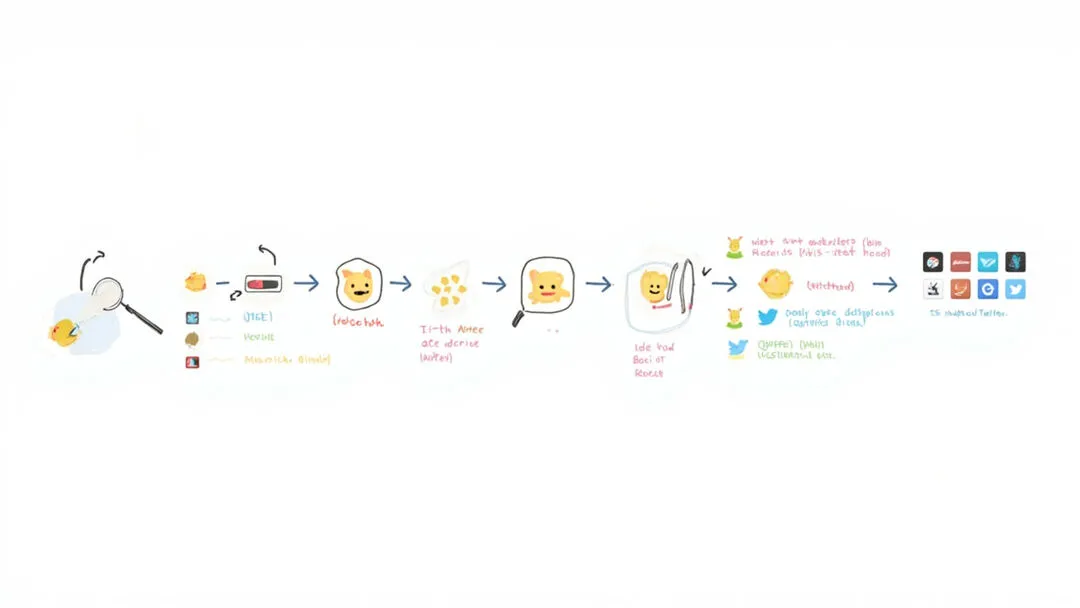
La mayoría de los creadores de contenido trata los emoji como imágenes opacas. Abres el selector, eliges la cara adecuada, lo envías y el dispositivo del destinatario lo renderiza como le parece. Esto funciona en el 95 % de los casos. El otro 5 % (el mojibake, los grupos rotos, los signos de interrogación en lugar del emoji, los renderizados específicos de cada plataforma) ocurre porque los emoji son texto, y la codificación importa.
Los emoji son texto, no imágenes
El hecho más importante sobre los emoji es que son texto, no imágenes. Cada emoji tiene un punto de código (codepoint) Unicode, un número asignado por el Unicode Consortium, y ese punto de código se almacena como parte del flujo de texto. Cuando envías un mensaje con 😂, el mensaje contiene el punto de código U+1F602, y el dispositivo del destinatario lo renderiza usando su propio glifo.
El mismo punto de código se renderiza de forma distinta en cada plataforma, porque cada una dibuja su propio glifo. 😂 es una cara amarilla plana en iOS, una mancha de color en Google, un render 3D en Samsung y un monocromo de alto contraste en el proxy de imágenes de Twitter. El punto de código es el mismo; el dibujo es específico de la plataforma. Es el mismo modelo que el alfabeto latino: el punto de código de la letra "A" es U+0041, y el aspecto de la "A" depende de la fuente tipográfica.
Conceptos básicos: puntos de código y UTF-8
Cada carácter Unicode tiene un punto de código, escrito en hexadecimal con el prefijo U+. Los puntos de código de los emoji están en el Plano Multilingüe Suplementario (Supplementary Multilingual Plane, SMP), lo que significa que están por encima de U+FFFF. Aquí es donde la codificación se vuelve interesante.
En UTF-8 (la codificación dominante en la web), cada punto de código se codifica en 1 a 4 bytes. Los emoji siempre ocupan 4 bytes. En UTF-16 (la codificación que usan las cadenas de JavaScript y Windows), los puntos de código por encima de U+FFFF se codifican como pares sustitutos (surrogate pairs): dos unidades de código de 16 bits que juntas representan un único punto de código. Por eso los emoji ocupan 2 caracteres en JavaScript, no 1: "😂".length === 2. Esto hace tropezar a mucho código de frontend cuando hace recuento de caracteres.
Puntos de código de emoji comunes
| Emoji | Punto de código | Bytes UTF-8 | Unidades de código UTF-16 |
|---|---|---|---|
| 😂 | U+1F602 | 4 | 2 |
| ❤️ | U+2764 U+FE0F | 6 | 4 |
| 👨👩👧 | U+1F468 U+200D U+1F469 U+200D U+1F467 | 17 | 10 |
| 🇺🇸 | U+1F1FA U+1F1F8 | 8 | 4 |
La última fila es interesante. 🇺🇸 (bandera de Estados Unidos) son dos puntos de código de indicadores regionales (U+1F1FA para "U" y U+1F1F8 para "S") que se combinan para formar el glifo de la bandera. No existen puntos de código específicos para las banderas: se calculan a partir del par. Por eso, si escribes "US" en una plataforma compatible con indicadores regionales, aparece 🇺🇸, pero el dato subyacente son dos puntos de código, no uno.
Por qué algunos emoji son varios puntos de código
Algunos emoji son un único punto de código (😂 es solo U+1F602). Otros son secuencias. 👨👩👧 (familia: hombre, mujer, niña) son cinco puntos de código unidos por separadores de ancho cero (U+200D): U+1F468 (hombre) + U+200D (ZWJ) + U+1F469 (mujer) + U+200D (ZWJ) + U+1F467 (niña). El ZWJ es una instrucción para el renderizador: une los puntos de código a mis lados en un único glifo.
Es un mecanismo potente. Cualquier usuario puede construir una familia de cualquier composición (👨👩👧👦 (dos adultos, dos hijos) o 👨👨👧 (dos padres, una hija)) escribiendo los puntos de código en secuencia, aunque ninguna plataforma haya renderizado antes esa combinación exacta. El resultado depende de si la plataforma de renderizado reconoce la secuencia ZWJ. La mayoría de las plataformas modernas lo hacen, pero el renderizado puede variar y las plataformas más antiguas pueden mostrar los emoji como glifos separados.
Pares sustitutos y JavaScript
El problema de los pares sustitutos es el origen de muchos errores con emoji en JavaScript. Las cadenas de JavaScript son UTF-16, y los puntos de código por encima de U+FFFF se almacenan como dos unidades de código de 16 bits (un sustituto alto y un sustituto bajo). Por eso "😂".length === 2, no 1, porque la cadena contiene dos unidades de código UTF-16.
El error más común es el recuento de caracteres. Un message.length ingenuo devuelve el recuento de unidades de código UTF-16, no el de caracteres percibidos por el usuario. Un mensaje con 5 emoji y 10 caracteres ASCII informará de una longitud de 20, no de 15. La solución es usar el operador spread ([...message].length) o la API Intl.Segmenter, que cuentan por puntos de código o por grupos de grafemas (grapheme clusters).
Selectores de variación
Los selectores de variación son puntos de código que cambian el renderizado del punto de código anterior. El más común es U+FE0F (VARIATION SELECTOR-16, VS-16), que fuerza el estilo emoji de un carácter que también tiene un estilo de texto.
El ejemplo más claro es el corazón. ❤ (U+2764) se renderiza por defecto como un corazón en estilo texto: un glifo rojo oscuro y pesado, parecido a un adorno tipográfico. ❤️ (U+2764 U+FE0F) es el mismo punto de código de corazón seguido de VS-16, que fuerza el estilo emoji: un glifo rojo brillante y con brillo. Los dos se renderizan de forma muy distinta, y la diferencia es un único punto de código.
Por eso escribir "heart" en el selector de emoji produce un resultado distinto a escribir el nombre Unicode y esperar lo mejor. El selector añade siempre el selector de variación de forma automática. El punto de código desnudo, escrito a mano, no.
Modificadores de tono de piel
Los modificadores de emoji de la escala Fitzpatrick (U+1F3FB a U+1F3FF) cambian el tono de piel de un emoji que lo admita. 🏋️ (levantador de pesas) es la combinación U+1F3CB (levantador de pesas) + U+FE0F (VS-16) + U+1F3FB (tono de piel claro). Sin modificador, se usa el emoji amarillo por defecto. Con modificador, se renderiza con un tono de piel concreto.
Lo importante es saber que los modificadores de tono de piel solo funcionan en los emoji diseñados explícitamente para admitirlos. Añadir un modificador de tono de piel a un emoji que no lo admite no hace nada (el modificador se ignora), y algunas plataformas manejan de forma inconsistente las combinaciones no admitidas. El generador de Forgemoji sigue la especificación Unicode: las combinaciones admitidas reciben un tono de piel, y las no admitidas usan el amarillo por defecto.
Errores habituales y cómo evitarlos
- •Mojibake en bases de datos. Guardar emoji en una base de datos que espera ISO-8859-1 u otras codificaciones previas a Unicode corrompe los datos. Usa UTF-8 en toda la pila tecnológica.
- •Cálculo de longitud. Un recuento ingenuo de caracteres subestima la longitud percibida por el usuario en contenido con muchos emoji. Usa grupos de grafemas.
- •Indexación para búsqueda. Si tu motor de búsqueda tokeniza por espacios, el emoji se indexará como parte del texto circundante. La mayoría de los motores modernos (Elasticsearch, OpenSearch, Algolia) manejan los emoji correctamente con los tokenizadores adecuados.
- •Accesibilidad. Los lectores de pantalla anuncian el nombre corto CLDR. Para emoji personalizados o generados con IA, ese nombre puede ser incorrecto o estar ausente. Prueba con lectores de pantalla.
- •Límites de almacenamiento en la base de datos. VARCHAR(255) cuenta unidades de código, no caracteres. Una columna VARCHAR(255) en MySQL con codificación utf8mb4 admite 255 caracteres, pero el límite de bytes es 4 por carácter, por lo que el presupuesto real de almacenamiento para contenido con muchos emoji es de 1020 bytes. Planifica en consecuencia.
Puntos prácticos
- •Usa siempre UTF-8 en toda la pila. En 2026 no hay ninguna razón válida para seguir con una codificación previa a Unicode.
- •En código sensible a la longitud (columnas de base de datos, contadores de caracteres), cuenta por grupos de grafemas o por puntos de código, no por unidades de código UTF-16.
- •Prueba el renderizado de emoji en las plataformas que importan a tus usuarios. iOS, Android y Windows renderizan de forma distinta.
- •Prueba las secuencias ZWJ en dispositivos antiguos. El renderizado era inconsistente en 2018 y sigue sin ser del todo consistente en 2026.
- •Los selectores de variación importan. Si quieres el estilo emoji, añade VS-16. Si no, no lo añadas.
Forgemoji genera un PNG transparente y limpio. La codificación es tu problema, no el nuestro, pero tenemos un análisis a fondo sobre las secuencias ZWJ en las notas de ingeniería.
Ver cómo funciona →Fuentes
Lecturas recomendadas
- •Cómo los emoji se convirtieron en un lenguaje: de símbolos Unicode a atajos culturales — por qué importan los puntos de código y los nombres
- •Guía de accesibilidad de emoji: hacer que los emoji personalizados sean legibles para todos — llevar la codificación a la práctica
- •Cómo construimos un generador de emoji con IA con exportación a PNG, GIF y WebP transparentes — por qué los formatos de exportación varían
Fuentes
Source: Especificación núcleo de Unicode 16.0 , caracteres suplementarios y emoji — Unicode Consortium (verificado en junio de 2026)
Source: MDN , String length y pares sustitutos — Mozilla Developer Network (verificado en junio de 2026)
Lois Chen·Editor de contenido
Revisado el 20 de junio de 2026
Cómo escribimos esto: Los artículos se escriben a partir de pruebas directas en plataformas (servidores de Discord, grupos de Telegram, TikTok), entrevistas con usuarios avanzados en r/discordapp y la comunidad de stickers de Telegram, y revisiones semanales de las release notes de Unicode. Cada guía es revisada por al menos un editor para validar su precisión técnica y se actualiza cuando la plataforma en cuestión cambia sus reglas. Los datos de uso de emojis se obtienen de Google Trends público, los informes UDF (frecuencia de emojis Unicode) y nuestros propios logs de generación de Forgemoji.
Fuentes: Equipo editorial interno de Forgemoji — consulta la página Sobre nosotros para las notas de cada colaborador