
WhatsApp 絵文字の意味とカスタム絵文字メーカー
数秒で WhatsApp 用のユニークなカスタムステッカーと絵文字をデザイン。 透明背景、アニメーション WebP サポート、デザインスキル不要。 唯一無二の AI 絵文字キャラクターを生成して WhatsApp ステッカーパックに追加。
ジェネレーターを試してみませんか?
完全な AI ジェネレーターはホームページにあります。任意の 2 つの絵文字を組み合わせたり、写真をアップロードすると、約 15 秒で透過 PNG を取得できます。
ジェネレーターを開く人気の WhatsApp ステッカーアイデア
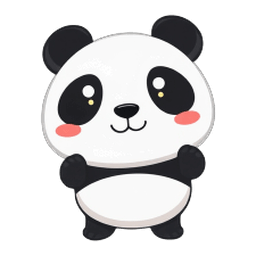
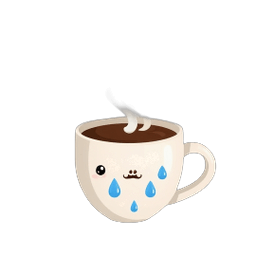
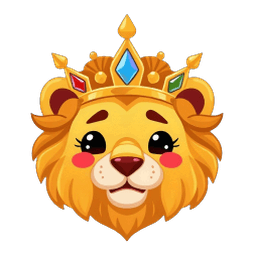
WhatsApp ステッカーと絵文字のサイズ要件
| タイプ | サイズ | 形式 | 最大サイズ | 備考 |
|---|---|---|---|---|
| スタンプ | 512×512 px | WebP | 100 KB | 透明背景を推奨 |
| アニメスタンプ | 512×512 px | アニメ WebP | 500 KB | 最大6秒、8fps以上 |
| カスタム絵文字(リアクション) | 96×96 px以上 | WebP / PNG | 100 KB | 正方形・透明背景 |
Forgemoji は 256×256 の透明 PNG を出力 — 無料コンバーターで 512×512 WebP にリサイズして WhatsApp 用に。
WhatsApp 絵文字とステッカーの実践的なヒント
1. WhatsApp 絵文字の基本原則
1) WhatsApp のユーザーはモバイルで閲覧することが多いので、シンプルで認識しやすい形状を優先し、読み込みを速くするためファイルサイズを軽めに保ちましょう。アニメーションステッカーを提供する場合は、複数端末で再生性能を確認してください。
2) アセットに名前を付け、推奨の shortcode やキーワードを添えると、ユーザーが大きなステッカーパック内でも素早く検索できます。関連する絵文字をまとめて見られる小さなギャラリーも用意しましょう。
2. チェックリスト:モバイル対応 Emoji
1) サムネイルサイズでも判読できるよう、タイトなクロップ・高コントラスト・太い輪郭を採用しましょう。画質を損なわない範囲で圧縮し、静止画 emoji は 50 KB 以下を目安にしてください。
2) 必要に応じて静止画 PNG と軽量なアニメーション WebP の両方を用意し、利用シーンを示すサンプルメッセージも添えると、ユーザーが使い方を理解しやすくなります。
3. 配信のヒント
1) 関連 emoji をテーマ別にまとめて 1 つのダウンロードで提供すると導入が楽になります。Android / iOS / Web それぞれに明確な導入手順を添え、アップロード失敗時のトラブルシューティングも記載してください。
2) 公開ギャラリーに出す場合は changelog とバージョン番号を整備し、ユーザーが更新を追跡したり新規パック導入時の競合を避けられるようにしましょう。
4. 成功しているパックの事例
1) 公開されている人気パックを参考にしましょう。テーマが明確、emoji の数と表現力のバランスが良い、プレビューが高品質、という共通点があります。トップパックが活用例をどのように見せているか、サムネイルがなぜ魅力的かを観察してください。
2) サポート案内: アップロード時の一般的なエラーや透過・サイズ問題の解決法を簡潔にまとめると、クリエイターの初回成功率が高まりサポート依頼が減ります。
3) マネタイズ: 有料化する場合、無料サンプルセットと追加バリエーション/アニメーション版のプレミアムパックを用意し、有料コンテンツを明示して購入・導入フローをスムーズにしましょう。
4) ローカライズとテスト: 異なるロケール/言語の端末でアセットをテストしましょう。短いテキストを含むバッジ等はリサイズや言い換えが必要になる場合があるため、必要に応じて別アートを準備してください。
5) メンテナビリティ: 投稿前に作者が実行できる小さな診断ツールやチェックリスト(ファイルサイズ/形式/カラープロファイル)を提供すると、よくある失敗を事前に防げます。
6) 最終チェックリスト: 投稿前にすべてのアセットを目的サイズでプレビューし、ファイル名とメタデータが正しいかを確認し、明確なインストール手順を提供しましょう。テーマと想定ユースケースを強調した短いリリースノートは採用率を高めます。
7) ひとこと: ソースファイルは整理してバージョン管理しておくと、後のアップデートやローカライズ版作成が楽になります。
AI vs 従来の WhatsApp ステッカー方法
| 機能 | ステッカーアプリ / アーティスト | Forgemoji AI ✨ |
|---|---|---|
| 作成方法 | サードパーティアプリかデザイナー依頼 | ✓ AIがアイデアを何でも生成 |
| 透明背景 | 手動で切り抜きが必要 | ✓ 毎回自動で透明PNG |
| アニメスタンプ | 別ツールでGIF/動画が必要 | ✓ アニメWebP内蔵(6種類) |
| デザイン独自性 | ✗ 同じパックを何百万人と共有 | ✓ 唯一のAIキャラクター |
| 写真→スタンプ | Photoshopや有料アプリが必要 | ✓ 写真アップロード→AI絵文字風 |
| 費用 | 有料アプリ$1〜10、カスタム$30〜100+ | ✓ 無料・1日5回生成 |
カスタム WhatsApp ステッカーの作り方
- 1
絵文字デザインを生成
2つの絵文字を合わせるか写真をアップロードして「生成」をタップ。AIが数秒で透明背景のユニークなキャラクターを作ります。
- 2
WebPまたはアニメWebPで書き出し
PNGをダウンロード、またはアニメーションボタンでアニメWebPとして書き出し — WhatsAppのアニメスタンプのネイティブ形式です。
- 3
スタンプアプリ経由でWhatsAppに追加
スタンプメーカーアプリ(Sticker Maker、WAStickerapps、AndroidのWhatsApp公式ツール)でパックを作成。画像をアップロード、512×512にリサイズしてWhatsAppへ。
よくある質問
WhatsAppスタンプのフォーマットは?
WhatsAppスタンプはWebP形式(512×512 px、静的スタンプは最大100KB)。アニメスタンプはアニメWebP(512×512、最大500KB、8fps以上)。Forgemojiは透明PNGを生成し、Sticker MakerアプリなどでWebPに変換できます。
カスタムスタンプをWhatsAppに追加するには?
スタンプメーカーアプリが必要です。簡単な選択肢:(1)Android/iOSの「Sticker Maker」アプリ — 画像をインポート、512×512にリサイズ、パック作成、「Add to WhatsApp」をタップ。(2)AndroidのWhatsApp純正ツール。(3)サードパーティのWebツール。Forgemojiの画像はすでに透明背景 — リサイズと変換だけ。
ForgemojiでアニメWhatsAppスタンプは作れる?
はい。絵文字を生成後、Animateをタップして6種類のアニメ効果(Bounce、Float、Wiggle、Pulse、Rubber、Spin)のいずれかでWebP書き出し。アニメWebP出力はWhatsAppアニメスタンプ要件に準拠。ファイルサイズは500KB未満に。
WhatsAppスタンプのサイズは?
静的スタンプ:512×512 px WebP、最大100KB。アニメスタンプ:512×512 pxアニメWebP、最大500KB。WhatsAppカスタム絵文字リアクション:最小96×96 px、最大100KB。Forgemojiは256×256を出力 — 無料オンライン変換ツールで512×512にリサイズ可能。
ForgemojiでWhatsAppリアクション絵文字は作れる?
はい — WhatsAppはカスタム絵文字リアクションをサポート(一部地域)。96×96 px以上の透明背景PNGまたはWebPが必要。Forgemojiの256×256透明PNG出力はこの要件を超え、直接動作するはず。
ForgemojiはWhatsAppスタンプに無料?
無料です。Forgemojiは無料で利用でき、IPごとに1日5回のAI生成、アカウントや支払い不要。時間をかけて無制限のユニークなデザインを生成可能。
カスタム絵文字リアクションをWhatsAppに追加するには?
WhatsAppは2024年末にカスタム絵文字リアクションをロールアウト。チャットで使う:チャットを開く → メッセージの横の絵文字アイコンをタップ → 「+」をタップしてカスタムリアクションを追加 → 写真を選ぶかカスタム絵文字PNGをダウンロード。Forgemojiの256×256透明PNGがサポート地域でカスタムWhatsApp絵文字リアクションとして直接動作します。